 |
uDiscMounter Virtual Drive & Disk Image Mounting Software. |
|
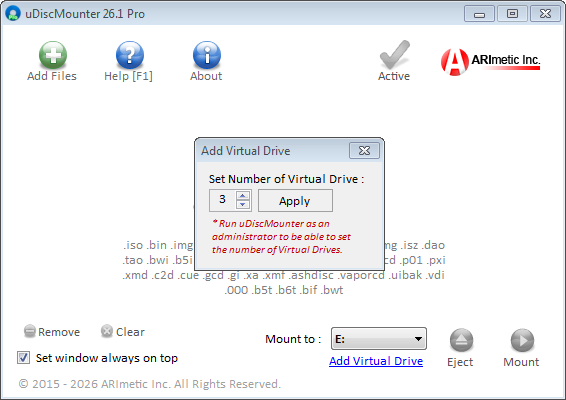
How to Add a Virtual Drive in uDiscMounterOperations : Mount & Eject files << >> uDiscMounter License Purchase and Payment Confirmation Procedure Adding a virtual drive in uDiscMounter is very simple. First, run uDiscMounter with administrator privileges by right-clicking the application and selecting "Run as Administrator." Then, go to the "Add Virtual Drive" menu and specify the number of virtual drives you want to create, as shown in the image below.
Note: After making changes to the virtual drives, please restart your device to ensure that all virtual drives function properly. |
| © 2015 - 2026 ARImetic. All Rights Reserved. | License • Contact |